Why AI agent cost varies each time you run the same task
The same task costs different amounts because the number of steps varies, and each later step costs more than the one before it. An agent loop calls the model, and if the model asks for tools, the loop runs them, appends the results and calls the model again. Each of those calls sends the conversation so far. Anthropic's docs describe the input on each turn as one that "Contains all previous conversation history plus the current user message", and tool results count toward it. So the tenth call in a session pays again for everything the first nine added.
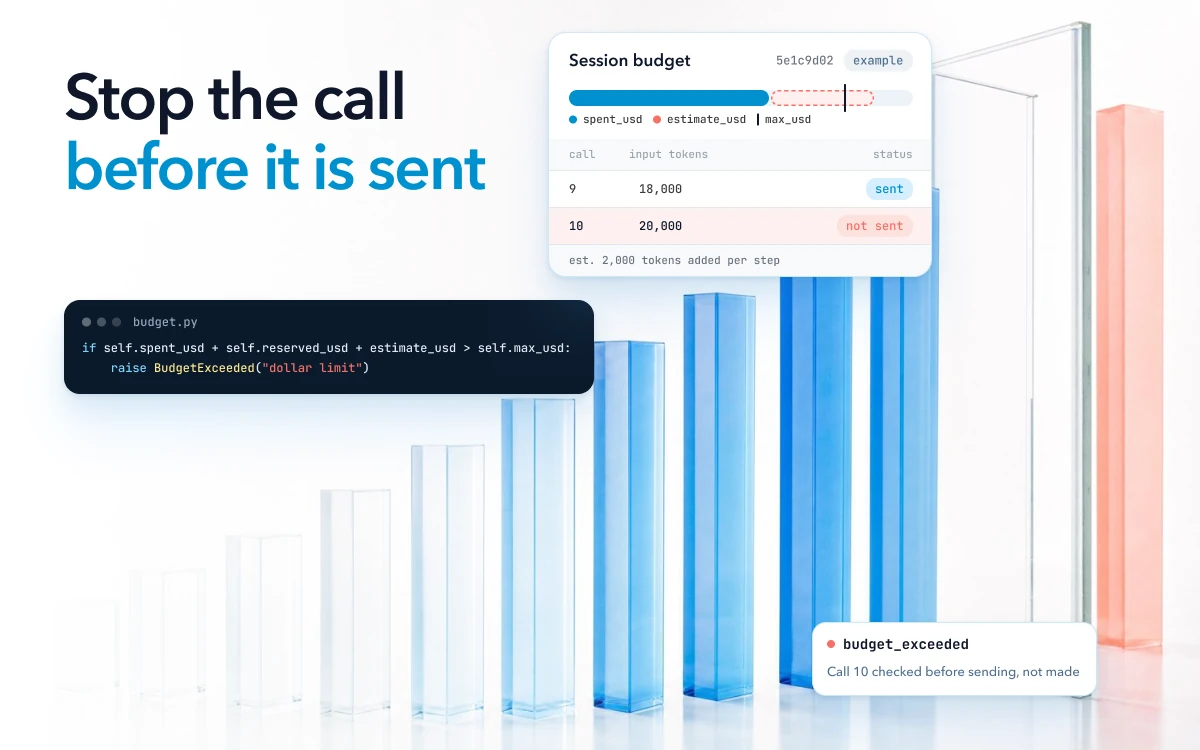
Assume step 1 sends about 2,000 input tokens and each step adds about 2,000 more of tool output and model reply to the history, and leave out the system prompt. Step 10 then sends about 20,000 input tokens, and the first ten steps send about 110,000 in total. A session that loops to 30 steps sends about 930,000. Three times the steps sends more than eight times the input tokens. Those numbers are arithmetic, not a measurement, but the shape holds for any chat API that is sent the whole history on each call.
Prompt caching lowers the price of that history without changing the shape. On Anthropic's API, cache read tokens are billed at 0.1 times the base input price on most models, and less on some newer ones (as of October 2026). A cached history costs a tenth or less as much on each call, and it is still sent and billed on every call.
Loops are how a session ends up with many more steps than it needs. The agent calls the same tool with the same arguments, gets the same error or the same empty result, and tries again. One write-up on agent failure modes describes an agent in a retry loop that "keeps issuing the same tool call because it has no mechanism to recognize that the call already failed".
One team on the OpenAI Agents SDK wrote in its issue tracker that
"an agent loop triggered thousands of API calls unexpectedly".
A CrewAI feature request describes an agent that keeps
"calling the exact same tool", such as search_web("rust").
Retries add attempts below the agent, where you may not see them. The OpenAI Python SDK retries certain errors "2 times by default", including rate limits, server errors and timeouts (as of October 2026).
A framework can also retry the step. CrewAI's
max_retry_limit, the number of retries when an error occurs, defaults to 2.
If CrewAI retries a step whose model call already used the SDK's two retries, one step can make up to nine attempts: three from the SDK for each of the
framework's three tries. Not every failed attempt is billed. But a step retried after its model calls succeeded,
because a tool or a parser failed next, pays for those calls again, with the longer history.
What spend alerts, provider limits and LLM cost monitoring can stop
A provider's spend controls work on the month and the account, so they cannot pick out one session. OpenAI's spend alert sends a notification while API traffic continues. Its hard limit is a "monthly organization or project cap". When spend reaches it, affected API requests "return a 429 error" until someone raises the limit or the next monthly cycle begins.
OpenAI also warns that hard limits "can interrupt production traffic" and that "Enforcement is not instantaneous". Anthropic's spend limits are also monthly, set for the organization or for each workspace. Both are as of October 2026.
So a hard limit stops every session in the project at once, after the month's money is gone, and an alert stops nothing. Keep both as a backstop for the account. Set the hard limit above what all your sessions should spend in a month, so that it catches a bug rather than a busy week.
A tracing tool sees a call's cost only after the call is made. It works out that cost from the tokens the call used and a model price table. Its alerts send a notification, such as a Slack message or a webhook call, after the spans arrive. A developer on OpenAI's forum wrote: "logging isn’t enforcement", and the trace "shows you what happened after the fact".
AI agent cost control: a budget on each session, checked before every call
The budget check has to run inside the session, before the next call is made. A session budget is a limit on what one agent session may spend, kept by your own code. It counts dollars or tokens, and also model calls, tool calls and elapsed time, because a loop of small calls can run for a long time before its cost stands out.
Before each model call, estimate the most the call can cost. That is the input tokens you are about to send at the input price, plus the call's maximum output tokens at the output price. If the spend so far plus that estimate is over the budget, do not make the call. After the call, replace the estimate with the cost from the usage the provider returned.
Your framework may already keep the count. The OpenAI Agents SDK tracks requests and tokens for every run, and its docs say you can use that count to "monitor costs, enforce limits, or record analytics".
Parallel calls need one more step. When sub-agents or parallel tool calls share a session, each can see the same remaining budget and go ahead, so together they spend past it. Reserve each call's estimate before it is sent and settle it after, so a second call sees the first one's share as spent.
The guard below keeps one budget per session and makes that reservation. The prices are your own per-token rates, and
send is whatever makes the model request and returns its token usage.
import threading


class BudgetExceeded(Exception):
    pass


class SessionBudget:
    """One per agent session, shared by every model call in it."""

    def __init__(self, max_usd, max_model_calls):
        self.max_usd = max_usd
        self.max_model_calls = max_model_calls
        self.spent_usd = 0.0
        self.reserved_usd = 0.0
        self.model_calls = 0
        self.lock = threading.Lock()  # parallel calls share one budget

    def reserve(self, estimate_usd):
        with self.lock:
            if self.model_calls >= self.max_model_calls:
                raise BudgetExceeded("model call limit")
            if self.spent_usd + self.reserved_usd + estimate_usd > self.max_usd:
                raise BudgetExceeded("dollar limit")
            self.model_calls += 1
            self.reserved_usd += estimate_usd

    def settle(self, estimate_usd, actual_usd):
        with self.lock:
            self.reserved_usd -= estimate_usd
            self.spent_usd += actual_usd


def call_model(budget, send, input_tokens, max_output_tokens, in_price, out_price):
    # Worst case for this call: everything you send, plus the most it may write.
    estimate = input_tokens * in_price + max_output_tokens * out_price
    budget.reserve(estimate)
    actual = estimate  # a call that raised may still be billed: count its worst case
    try:
        response = send(max_output_tokens)
        actual = (response.input_tokens * in_price
                  + response.output_tokens * out_price)
        return response
    finally:
        budget.settle(estimate, actual)
The lock works within one process. A session spread across workers needs the same reserve-and-settle on one shared store, such as an atomic counter in your database or cache.
Tool calls get the same treatment: a counter, and a price where the tool itself is paid.
Put the check in the code that makes the call, such as a wrapper around your model client or your tool runner, and not in the prompt. A model that is told it has a budget can still ignore it, and a check in your code cannot be skipped. A reply on the same forum thread makes that case for a gate "outside the agent loop entirely (non-bypassable)".
Decide what happens at the limit before a session reaches it. A soft limit below the hard one can log a warning,
switch the rest of the session to a smaller model, or ask a person to approve more. At the hard limit, end the session
with a status your code and your dashboards both understand, such as budget_exceeded. Return what the agent has so
far, and keep the trace, because that session is the one you will want to read.
Use the step and retry limits your framework already has
Most frameworks already cap steps and retries, so check that each cap is on and set where you want it. The defaults below are as of October 2026.
| Setting | Where | Default | What happens at the limit |
|---|---|---|---|
max_turns |
OpenAI Agents SDK | 10 (version 0.24.0) | Raises MaxTurnsExceeded. max_turns=None turns the limit off |
recursion_limit |
LangGraph, in the config you invoke the graph with | Not given on the error's docs page | Stops the graph with GRAPH_RECURSION_LIMIT |
max_iter |
CrewAI agent | 20 | The agent "must provide its best answer" |
max_retry_limit |
CrewAI agent | 2 | No more retries for that error |
max_execution_time, max_rpm |
CrewAI agent | None, so off |
Time and request-rate limits, only when you set them |
max_retries |
OpenAI Python SDK | 2 | The error reaches your code |
In your own code, a cap set to None, or set very high to get one long session through, is no cap. Because max_iter ends a loop with a best answer instead of an error, the session can
look like a normal one on a dashboard.
A step cap is a blunt tool, though. It counts steps, not cost, so it cannot tell a long valid session from a loop. The
same CrewAI feature request says a blind max_iter counter
"kills valid 15-step workflows at step 11". Keep the step cap as
a backstop, set above your longest valid sessions, and let the budget and a loop check do the main work.
Catch a loop before the step limit does
A loop shows in the calls well before it shows in the bill, so check for it on each tool call. Keep a count, per session, of each tool name with its arguments. When the same call comes back with the same result a set number of times (three is a reasonable start), stop the session or tell the model that the call already failed and what to try instead. For a tool that writes, pays or notifies, check the repeated name and arguments before running the call again, not after its result.
Arguments that drift need a second check. An agent can search for "notebook pc", then "portable computer", then "laptop", and learn nothing new each time. So also count calls since the session last made progress, such as a new result, a changed plan or a step finished, and stop when that count passes your limit.
Bound retries in your own code the same way. Retry only errors that can clear, such as timeouts, rate limits and server errors, with backoff and a small limit. Never retry a quota or billing error. And where your framework already retries the step, turn the SDK's own retries down, so the two layers do not multiply.
Find the expensive sessions that stayed under the cap
To find the expensive sessions that stayed under the cap, add up cost per session from your traces. A cap stops the worst session, but it says nothing about the sessions just under it, which can still cost many times a normal one. Tracing tools already price each call from its token usage and a price table, so the session total is a sum, as long as every call carries the session id. The price table makes the total an estimate, which can differ a little from the provider's bill.
Then read the distribution of session cost for each agent, not the average. The loops and retry storms are at the top
of the distribution. Sort by cost, open the most expensive sessions, and read
what the agent did. Tool-call counts point the same way. OpenTelemetry defines a metric that counts
tool calls per agent invocation,
gen_ai.invoke_agent.tool_calls, and an invocation with many times its usual count is worth opening before you price
it.
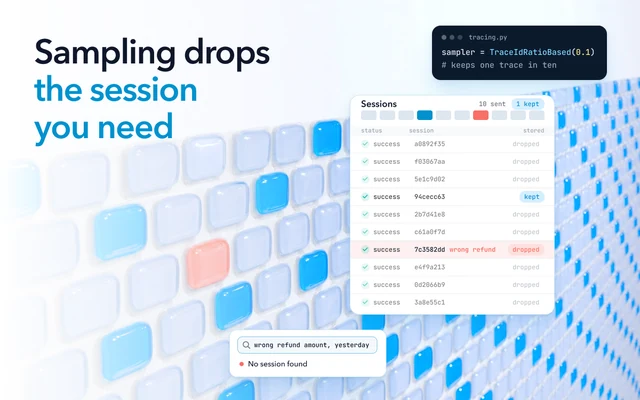
That distribution is also how you set the budget. Put the hard limit above the cost of the most expensive sessions that finished correctly, and below the sessions that looped. Set it again when the agent changes, because a new tool or a longer prompt moves every session's cost. All of this needs every session. A costly session you sampled out to keep the tracing bill down cannot be opened later.
How to tell the budget works
Test the budget before you trust it, the way you would test any other limit in production code.
Before release
- Force a loop in staging. Give the agent a tool that always returns the same error. The session should stop at
the loop check or the budget, with a status such as
loop_detectedorbudget_exceeded, and the trace should show which check fired. - Run parallel calls in one session. Send several at once against a small budget, and check that the settled spend never passes it.
In production
- Count the sessions that hit each limit, per agent. A jump after a release is a regression. Sessions that hit the cap and were doing valid work mean the cap is too low.
- Read a few capped sessions each week. Each one is either a loop you can fix at its cause or a sign the limit is in the wrong place.
Finding why a session looped, with Oodle
Oodle shows why an agent looped. A budget ends a runaway session, but it does not say why.
Traces go straight to object storage in Oodle's own columnar format, and queries run on serverless compute that spins up per query and shuts down after. Every agent trace is kept for your retention period (30 days on Pro, longer for an added fee).
Oodle identifies loops, tool failures, outages and stalled conversations out of the box, as each session arrives. Every session is analyzed at scale using statistics, ML classifiers and a small model for sentiment. Oodle's agent then checks each issue it finds against the evidence and removes the noise. An Oodle loop finding shows the drifting kind: one tool called six times in one turn, with no new information between the calls.
Oodle is observability built for AI agents. Once a day, Oodle's insights give a short list each morning of what went wrong, how often and why, with the traces behind each finding attached. A finding opens Claude Code or Cursor with the failing traces in the prompt, so the fix starts from the session that looped. The stop itself stays in your agent's own budget. Cost insights are in Oodle's AI Usage Overview dashboards.